Run it from your phone
Start, pause and resume from your iPhone. On a paired display, the board carries on even if you lock the phone or switch apps. Save workouts and classes, copy last week's to make a variation, and see what you've completed.
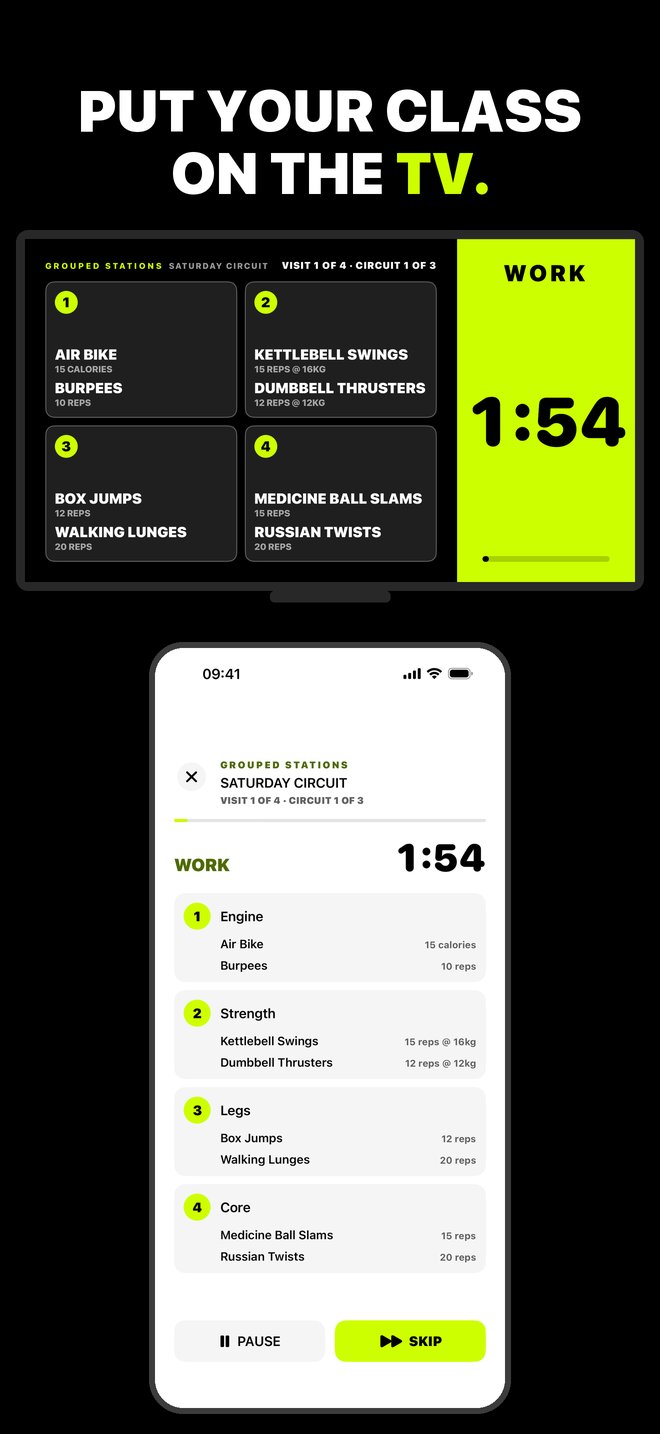
Replace the gym whiteboard. Build your class on your iPhone and put a big, bold board on the TV. Everyone sees what to do now, what's next and the time left.
Big type, built for across the room. What to do now, what's next, the time left, and where each station group moves next. Work and rest are different colours, so the room knows where it is at a glance. The TV can play the beeps and spoken cues too.
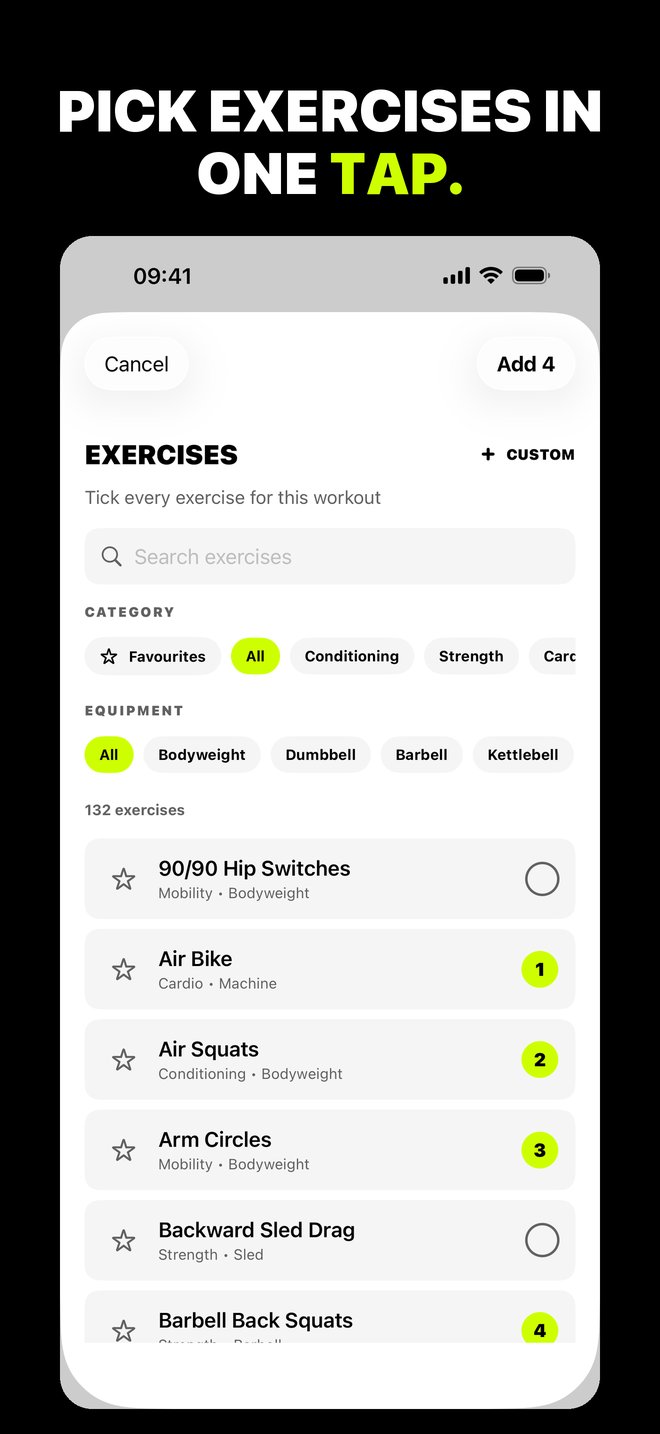
Pick your exercises, choose how they run, then set the timer and targets. Every choice is explained in plain English as you go. Choose from more than 130 movements, including mobility, or add your own.
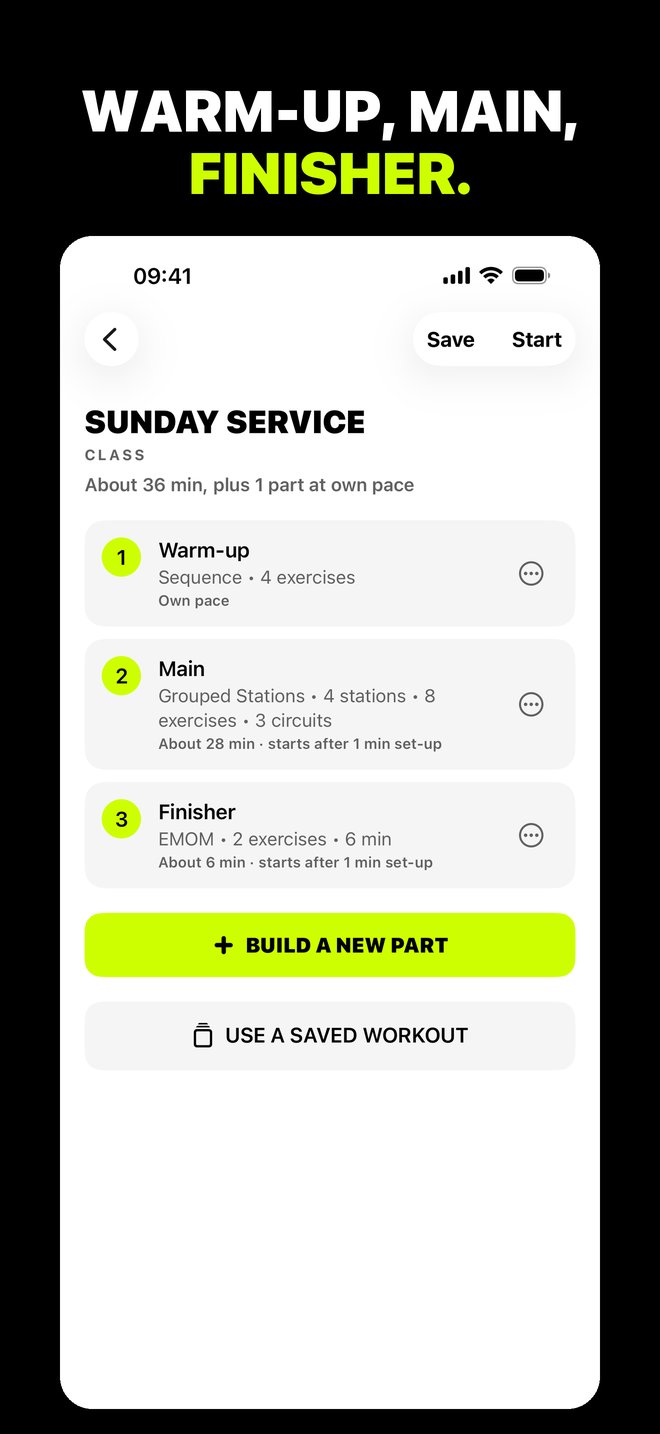
How it worksPut parts together, such as a warm-up, the main block and a finisher, and run them back to back.
Start, pause and resume from your iPhone. On a paired display, the board carries on even if you lock the phone or switch apps. Save workouts and classes, copy last week's to make a variation, and see what you've completed.
No account. No ads. No tracking. Your iPhone and your display talk directly over your own Wi-Fi. Nothing goes through the internet.
PrivacyYour iPhone runs the class. A display shows the board: AirPlay, an iPad, Android TV and Google TV, or a Samsung TV. After the first time, paired displays reconnect in one tap.
Displays